

Advance Search
Magento 2 Advance Search by KiwiCommerce enhances the storefront search experience with fast AJAX-based product search. Customers can search products by name or SKU without reloading the page. It also provides category, color, and price range filters for easier product discovery. The extension includes configurable search settings along with CSV-based product synchronization.
£49.00
one-time payment
Search products instantly without a full page reload.
Quickly find products using name or SKU.
Filter search results by available product categories.
Narrow down results based on product color.
Filter products using minimum and maximum price.
Combine keyword search with category, color, and price filters.
Control the maximum number of products displayed in search results.
Configure the minimum characters required to trigger keyword search.
Export and import product search data through CSV.
Keep search data updated automatically using Magento cron jobs.
Username: kiwi_search
Password: 1koP3F0+GvT<



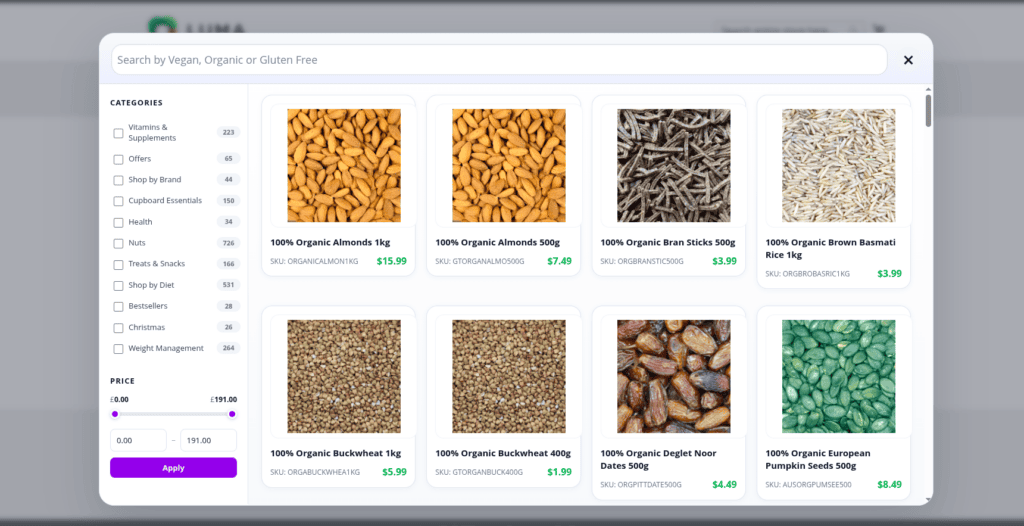


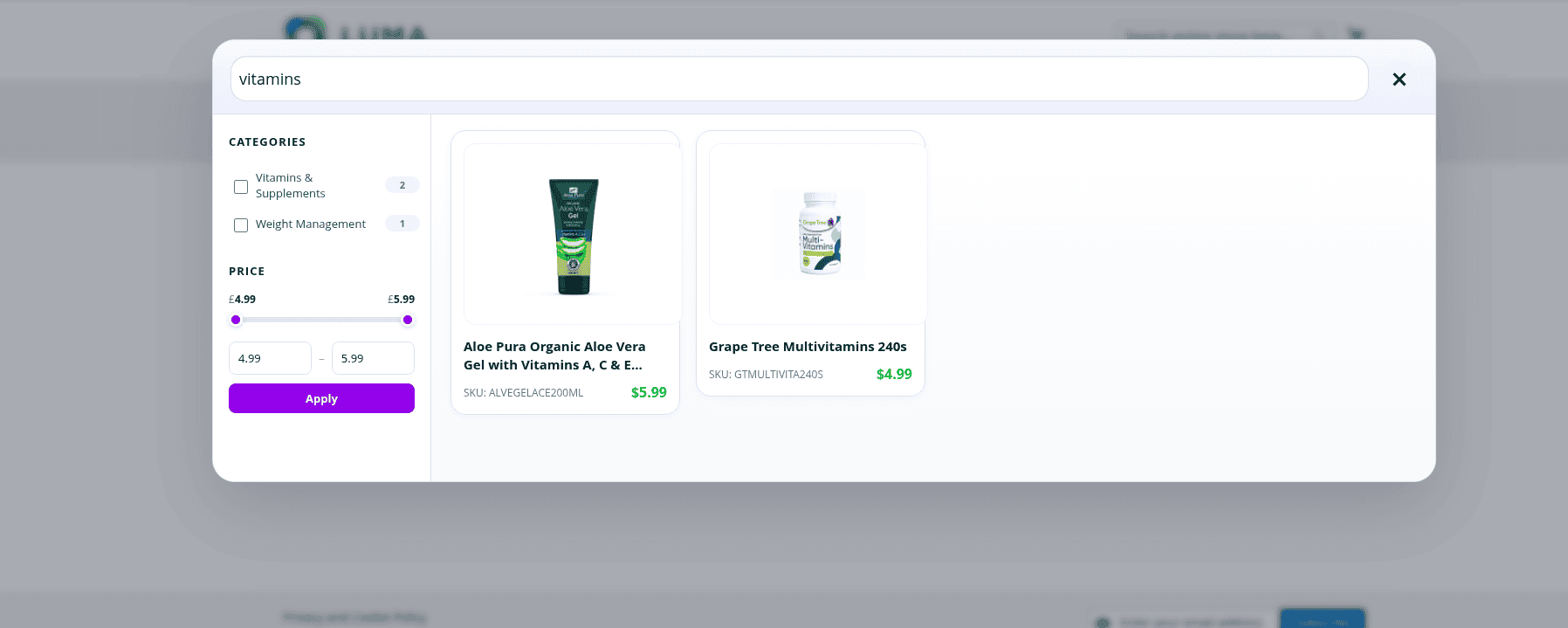

- The extension provides an AJAX-based product search experience for Magento 2 storefronts. Customers can search products by product name or SKU and filter the results by category, color, and price range.
- Yes, the extension supports searching products using both the product name and SKU. Search results are loaded through AJAX without requiring a full page reload.
- Yes, the extension supports category, color, and price range filters. Multiple category and color values can be selected and combined with the search query.
- Yes, customers can specify a minimum and maximum price and click Apply to filter the search results according to the selected price range.
- The extension can be configured from Stores → Configuration → Catalog → KiwiCommerce Search. The available settings include Enable KiwiCommerce Search, CSV File Path, Minimum Characters, Result Limit, and CSV Sync Time.
- The extension uses CSV export and import functionality to maintain search data. Magento products are exported to a CSV file and imported into the kiwi_search_product table through scheduled Magento cron jobs.
- Yes, you can configure the maximum number of search results using the Result Limit setting available in the KiwiCommerce Search configuration.
- Yes, the Minimum Characters setting allows you to define how many characters a customer must enter before keyword search results are requested.
- The search CSV contains product_name, sku, price, url, image, and color. This data is imported into the dedicated search table used by the extension.
- Please drop an email to [email protected] with details of the issue and the steps required to reproduce it.
- If you need any support with installation, configuration, or troubleshooting, please contact us on [email protected].
- In the paid installation service, we provide support for the team installing the extension on the client side and help resolve installation-related conflicts if found.
Version 1.0.0
– Initial release