Category: Hyva Theme
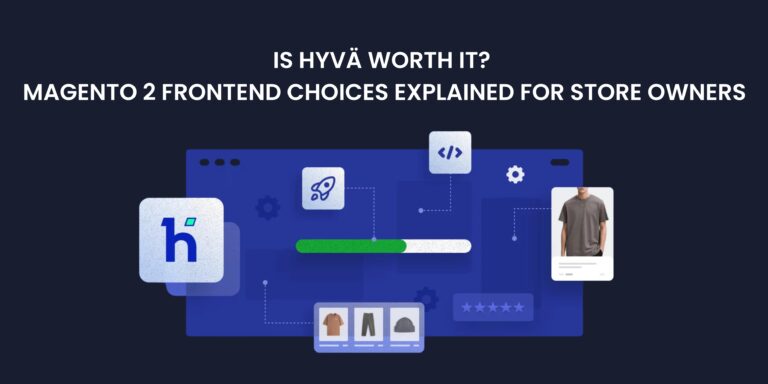
If you’re running a Magento 2 store, you’ve likely heard whispers (or loud shouts) about Hyvä – the new kid on the block that’s shaking up how Magento storefronts are built. But what exactly is Hyvä? And is it the right fit for your business?
In this blog, we’ll break down what Hyvä is, how it compares to other Magento frontends, and whether it’s worth the investment in 2025.
🤔 What is Hyvä?
Hyvä is a modern frontend theme for Magento 2. It’s fast, lightweight, and developer-friendly, built with simplicity and performance in mind. It replaces the bloated and ageing Luma theme, giving your store a much-needed speed boost and cleaner codebase.
🧱 How is Hyvä Different from Luma or PWA?
| Feature | Luma (default) | Hyvä | PWA |
| Speed | Slow | Very fast | Fast (with good setup) |
| Complexity | High | Simple | Very high |
| Developer Cost | Moderate | Lower long-term | High |
| Time to Launch | Medium | Fast | Long |
| Best For | Small stores or legacy | Most B2C/B2B stores | Large, mobile-first apps |
🚀 Why Store Owners Love Hyvä
- Page speed scores skyrocket – reducing bounce rate and improving SEO
- Lower development costs – fewer bugs, easier to maintain
- Faster go-live – get your redesign launched quicker
- Great UX – clean design, easier to customise
- Growing community – 1,500+ stores and counting
🛑 When Hyvä May Not Be the Right Fit
- You want a headless or app-like experience (then PWA might be better)
- You rely heavily on third-party extensions that don’t support Hyvä yet
- You’re using Magento Open Source with outdated infrastructure
💸 Is Hyvä Worth the Investment?
In short: Yes – for most Magento 2 stores.
If you want a faster store, happier customers, better SEO, and lower dev headaches, Hyvä is likely a smart long-term investment. It’s especially appealing to mid-sized merchants who want the benefits of modern tech without the cost of full PWA builds.
🧠 Final Thoughts
Hyvä is not just a theme it’s a shift in how Magento storefronts are built. While it’s not perfect for every store, it hits the sweet spot between performance and simplicity for most merchants in 2025.
Thinking of upgrading your Magento 2 frontend? Hyvä might be the breath of fresh air your store needs.
Hyvä UI 2.5 has transformed the way Kiwicommerce moves from design to development. By using its ready-made components, we’re able to design and launch Magento stores faster, with fewer revisions and a smoother process overall.
Who Is This Blog For?
This blog is for both designers and eCommerce managers. Here’s how Hyvä 2.5 makes life easier:
- For Designers: Hyvä’s Figma UI bridges the gap between design and development. Designers can see what’s included in the theme, identify areas for customisation, and apply brand styling quickly. This means faster prototypes, smoother approvals, and an easier handover to developers.
- For eCommerce Managers: With Hyvä adding more built-in features, projects move faster and need less basic setup. This saves time and cost, helps stores launch quicker, and makes them easier to maintain in the long run.
Why Hyvä Matters
Magento 2 is a powerful eCommerce platform, but its default theme, Luma, has always been slow and rigid. It often needed extra work just to get the basics right.
Hyvä is different. It’s not just another theme; it is a complete turnaround of how Magento storefronts are designed and built. By combining Tailwind CSS with pre-built components, Hyvä speeds up both design and development while cutting down on unnecessary fixes and tweaks.
What’s New in Hyvä 2.5
The latest version introduces a range of updates to make storefront design faster and more flexible.
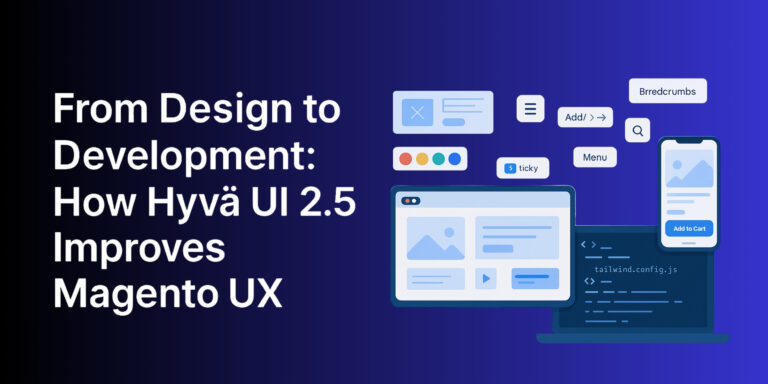
New components include:
- Sticky Add-to-Cart button
- Mobile Menu A & B
- Breadcrumbs A
- Pagination A
- Scroll to Top
- Search Form A (now supporting SmileElasticsuit)
It also adds more mobile-first elements (XS size: 376px), so designs are responsive across all screen sizes from small mobiles to large desktops.
Smarter Mobile Menus
Navigation is key to any online store. Hyvä 2.5 now includes two built-in mobile menu options:
- Mobile Menu A (Scroll Menu): All items in one scrollable list, with an optional search bar and sticky button for quick actions like Cart or Contact.
- Mobile Menu B (Tab Menu): Divides content into three tabs, ideal for complex categories or brands with storytelling content. It also includes a search bar and a sticky button.
Both options make it simple to set up user-friendly navigation without heavy customisation.
Figma Companions – A Useful New Resource
Hyvä has also introduced Figma Companions extra design tools to make life easier for designers.
The first release is Hyvä Payment Methods, which includes 120+ card logos in five styles (light, dark, clean, outline, and mono). This saves time on repetitive design tasks and ensures consistency across the site.
Why Magento’s Default UI Holds Stores Back
The old Luma theme created many challenges:
- Rigid layouts for product and category pages
- Inconsistent typography and spacing
- Cluttered checkout and account pages
- Slower performance due to heavy code
Hyvä solves these problems with a modern, flexible, and performance-focused design system allowing teams to spend more time on brand and UX improvements instead of patching outdated layouts.
Easier Client Sign-Off with Hyvä UI in Figma
One of the biggest benefits of Hyvä’s Figma UI Kit is how it improves the client approval process:
- Pre-Built Components: Clients can see what’s available and decide if styling alone is enough or if custom designs are needed.
- Live Collaboration: Feedback can be added directly in Figma for quicker iterations.
- Shareable Prototypes: Easy to share with wider teams and stakeholders.
- Interactive Previews: Clients can test how the store will work before development begins.
- Smooth Developer Handoff: Clear notes and annotations reduce confusion and speed up development.
This gives designers a solid foundation and ensures projects move forward without delays.
Faster, Smoother Magento UX
In eCommerce, speed is critical. A delay of just one second can reduce conversions by up to 7-8%. Hyvä addresses this by:
- Delivering faster page loads
- Using lightweight, efficient UI components
- Loading only the scripts and styles required
- Reducing reliance on heavy JavaScript
The result? A lean, high-performance storefront that customers enjoy using.
The Future of Magento UX
Hyvä UI 2.5 makes Magento stores faster, more flexible, and easier to manage. It fixes many of the issues with Luma, reduces time spent on basic setup, and allows teams to focus on delivering a high-quality user experience.
This is just the beginning Hyvä is continuing to evolve, adding new features and improvements that make it a serious competitor to Shopify while keeping the flexibility that Magento is known for.
We’re excited to see what comes next and look forward to sharing our upcoming projects in the luxury D2C space that showcase the full potential of Hyvä.
Looking for expert help with your Hyvä design and build? Get in touch with Kiwicommerce today.

Creating a child theme for Hyvä is a slightly more advanced process than building one for traditional themes like Luma. You need to go beyond the basics, such as theme.xml and registration.php, and dive into additional steps like configuring Tailwind CSS and managing assets. This guide will take you through the process step by step, ensuring your child theme is set up correctly and efficiently.
Step 1: Create the theme.xml File
Start by defining your child theme and setting its parent theme in the theme.xml file. This file is essential for Magento to recognise your child theme.
- Location:
app/design/frontend/Kiwi/hyvä_kiwi/theme.xml
xml
Copy code
<theme xmlns:xsi=”http://www.w3.org/2001/XMLSchema-instance”
xsi:noNamespaceSchemaLocation=”urn:magento:framework:Config/etc/theme.xsd”>
<title>Hyvä Kiwi Child Theme</title>
<parent>Hyvä/default</parent>
</theme>
Step 2: Register Your Theme
The next step is to register your child theme in Magento. Create the registration.php file in your child theme directory.
- Location:
app/design/frontend/Kiwi/hyvä_kiwi/registration.php
php
Copy code
<?php
\Magento\Framework\Component\ComponentRegistrar::register(
\Magento\Framework\Component\ComponentRegistrar::THEME,
‘frontend/Kiwi/hyvä_kiwi’,
__DIR__
);
?>
Step 3: Copy the web Directory
Hyvä child themes require a web directory that contains essential assets like JavaScript, CSS, and fonts. Copy this directory from the parent Hyvä theme.
- Copy from:
vendor/hyvä-themes/magento2-default-theme/web - Paste to:
app/design/frontend/Kiwi/hyvä_kiwi/web
Step 4: Tailwind CSS Configuration
Tailwind CSS powers Hyvä’s styling system. Update the tailwind.config.js file in your child theme to include paths to the parent theme’s files.
- Location:
app/design/frontend/Kiwi/hyvä_kiwi/web/tailwind/tailwind.config.js
javascript
Copy code
module.exports = {
content: [
‘../../**/*.phtml’,
‘../../*/layout/*.xml’,
‘../../*/page_layout/override/base/*.xml’,
// Include parent theme paths
‘../../../../../../../vendor/hyvä-themes/magento2-default-theme/**/*.phtml’,
‘../../../../../../../vendor/hyvä-themes/magento2-default-theme/*/layout/*.xml’,
‘../../../../../../../vendor/hyvä-themes/magento2-default-theme/*/page_layout/override/base/*.xml’,
// Include app code modules
‘../../../../../../../app/code/**/*.phtml’,
],
};
💡 Tip: Uncomment the lines referencing the parent theme’s paths to ensure proper inheritance of layouts and templates.
Step 5: Install Dependencies
To use Tailwind, you need to install the required Node.js packages in your child theme’s web/tailwind directory.
Commands:
bash
Copy code
cd app/design/frontend/Kiwi/hyvä_kiwi/web/tailwind/
npm install
Step 6: Generate the hyvä-themes.json File
The hyvä-themes.json file tracks all modules using Tailwind CSS. Regenerate this file to ensure your new child theme is recognised.
Command:
bash
Copy code
php bin/magento hyvä:config:generate
Step 7: Deploy Your Changes
Run the Magento deployment commands to activate your child theme and apply your changes.
Commands:
bash
Copy code
php bin/magento setup:upgrade
php bin/magento setup:static-content:deploy -f
php bin/magento cache:flush
Step 8: Enable the Theme in Admin
Finally, enable your new Hyvä child theme through the Magento admin panel:
- Go to Admin → Content → Design → Configuration.
- Select your child theme, save the configuration, and flush the cache.
Your Hyvä Child Theme is Ready!
Congratulations! Your Hyvä child theme is now live and ready for customisation. With Tailwind CSS and the parent theme’s assets in place, you have a powerful foundation to create a visually stunning and user-friendly eCommerce store.
At Kiwi Commerce, we specialise in Magento and Hyvä solutions. Whether you need custom development or troubleshooting support, our team is here to help. Get in touch with us today!