Introduction
Social proof can make or break an online sale. Before a customer commits to buying from a store they’ve never heard of, they want to know others have bought, tried, and trusted it. Reviews are that signal and if you’re launching or migrating a Shopify store, you don’t have to start from zero. You can import reviews to Shopify from platforms like Amazon, Etsy, AliExpress, and more, carrying your hard-earned credibility across with you.
This guide walks you through exactly how to import reviews to Shopify using apps, CSV files, and migration services covering every major source platform and the common pitfalls to avoid along the way.
Why Importing Reviews Matters
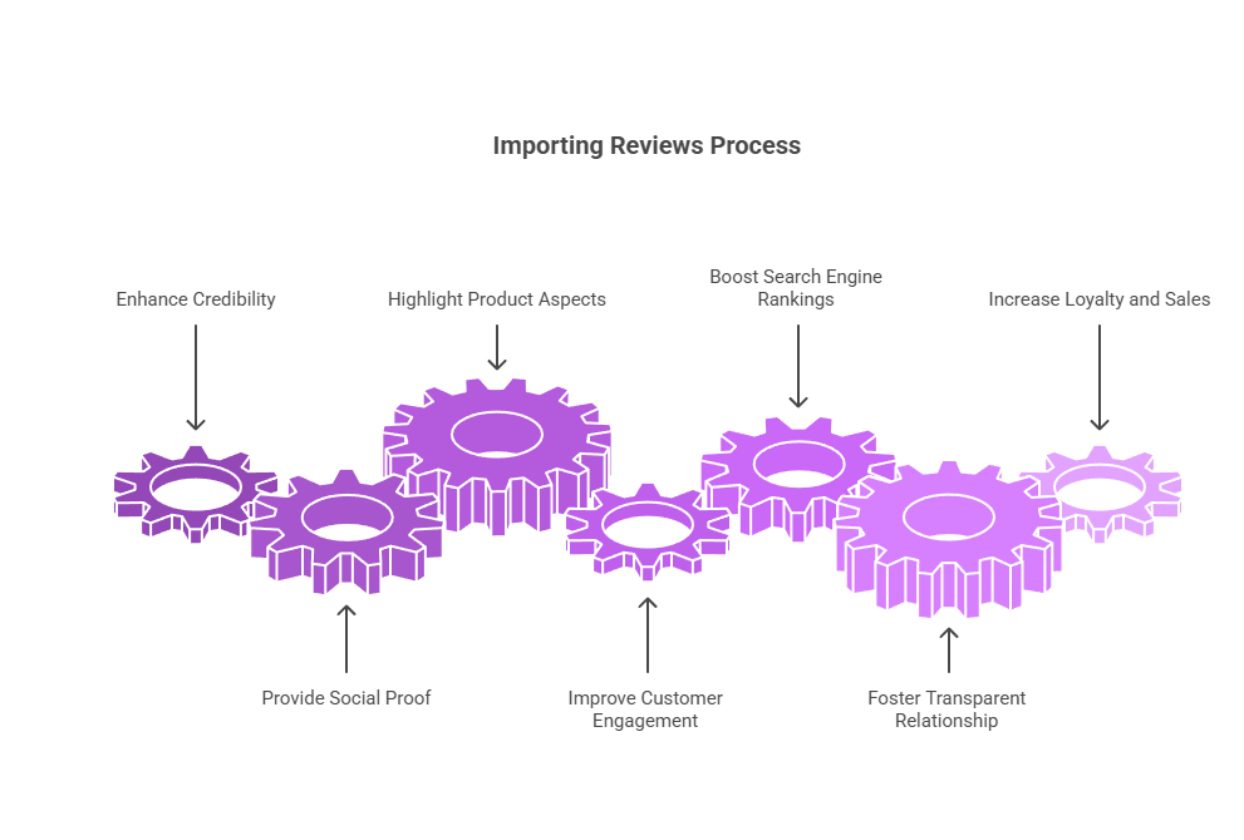 Reviews drive purchasing decisions more reliably than almost any other on-page element. Studies consistently show that products with reviews convert at significantly higher rates than those without, and the volume and recency of reviews both influence buyer confidence.
If you’re migrating from another platform or selling across multiple channels, your existing reviews represent months or years of customer engagement. Losing them when you launch a new Shopify store doesn’t just hurt credibility it can directly impact your revenue from day one. Importing them correctly preserves that trust, helps your product pages rank better in search, and gives new visitors the reassurance they need to buy.
For merchants moving from Amazon, Etsy, or AliExpress to Shopify, a full review import is often one of the most commercially valuable technical tasks you can do during a migration.
Can You Import Reviews to Shopify Without an App?
Technically, yes but with significant limitations. Shopify’s native platform does not include a built-in reviews import tool in its core offering. Shopify’s own Product Reviews app (now deprecated in favour of third-party solutions) previously supported a basic CSV import, but it had no support for star ratings from external platforms, photos, or verified purchase badges.
Without an app, your options are:
- Manual entry: Copying and pasting reviews one by one practical only for very small catalogues.
- Custom development: A developer can build a bespoke import pipeline using the Shopify API to write review data directly. This works well at scale but requires technical resource.
- CSV upload via theme code: Some themes expose a review schema that a developer can populate directly, though this bypasses any official review verification.
For most merchants, a dedicated reviews app is the most practical and scalable route. It handles formatting, field mapping, and display without requiring custom code.
How to Import Customer Reviews into Shopify Using Apps
The majority of merchants use a reviews app to handle this process. The steps follow broadly the same pattern regardless of which app you choose.
Step 1: Install and Configure the App
Visit the Shopify App Store and install your chosen reviews platform (see the next section for a comparison of the best options). Once installed, navigate to the app’s settings dashboard and configure your display preferences where reviews appear on product pages, what information is shown, and whether photo or video reviews are enabled.
Before importing, ensure the app is connected to the correct products in your Shopify catalogue. If your product handles or SKUs differ from your source platform, you’ll need a mapping document to match reviews to the right listings.
Step 2. Create Your CSV File
Every major reviews app supports importing via CSV (comma-separated values) a spreadsheet format that structures review data into rows and columns. Most apps provide a downloadable import template from within their dashboard.
Your CSV will typically include columns for:
- Product identifier (handle, SKU, or URL)
- Reviewer name
- Review title
- Review body (the written comment)
- Star rating (usually 1–5)
- Review date
- Verified purchase status
- Photo or video URLs (if applicable)
Before you can import reviews to Shopify, you need to export them from your current platform. If you’re looking to import Etsy reviews to Shopify, go to your Etsy Shop Manager and download your reviews data from there. For Amazon Seller Central, AliExpress, or wherever they currently live, the process is similar: export first, then reformat. Once exported, reformat the data to match your chosen app’s template exactly. Pay close attention to date formats, character encoding (UTF-8 is standard), and any required vs optional fields.
Step 3. Import Reviews to Shopify
Within your reviews app dashboard, locate the import section usually found under “Reviews”, “Import”, or “Bulk Actions”. Upload your completed CSV file. Most apps will run a validation check and flag any rows with formatting errors before committing the import.
Depending on the volume of reviews, this can take anywhere from a few seconds to several minutes. Larger catalogues (tens of thousands of reviews) may be processed in batches.
Step 4: Verify Imported Reviews
Once the import completes, spot-check a sample of your product pages to confirm reviews are displaying correctly. Look for:
- Correct star ratings
- Accurate reviewer names and dates
- Photo or video attachments (if applicable)
- Correct product association (the right review on the right product)
If reviews are appearing on the wrong products, revisit your product identifier mapping in the CSV. If star ratings are incorrect, check that your CSV used the same rating scale (1–5 numeric) as the app template expects.
Step 5: Customise Review Display
With reviews live, take time to configure how they appear to shoppers. Most apps give you control over:
- The position of the reviews widget on product pages
- Whether to show aggregate star ratings in collection pages and search results
- Photo gallery layout for visual reviews
- Sort order (most recent, most helpful, highest rated)
- Review request emails for future customers
A well-designed review display increases the likelihood that reviews are actually seen and acted on which is the whole point of the exercise.
Best Apps for Shopify Review Import
Several dedicated apps support the ability to import reviews to Shopify, each with different strengths depending on your catalogue size, budget, and the platforms you’re importing from. Whether you need to import product reviews to Shopify in bulk or manage a smaller set of listings, the apps below cover every use case.
Judge.me
Judge.me is one of the most widely used review platforms for Shopify, known for its generous free tier and straightforward CSV import. It is a popular choice for merchants who want to import Amazon reviews Shopify-wide across their full product catalogue, as well as for standard CSV uploads from any other source, including AliExpress (directly via the Ali Reviews importer integration). When you need to import reviews Shopify quickly without complex setup, Judge.me is often the first recommendation. The platform also supports photo and video reviews, automated review request emails, and SEO-friendly rich snippets.
Loox
Loox is built around visual social proof photo and video reviews are its primary differentiator. If your products benefit from showing how they look in real-world use, Loox’s display widgets are particularly strong. It supports CSV import and has dedicated flows for importing from AliExpress. Its pricing is higher than Judge.me but its visual review display is considered among the most polished on the market.
Stamped.io
Stamped.io (now part of the Stamped platform) targets mid-market and growing merchants who need more than basic reviews including Q&A, NPS surveys, and loyalty programme integrations. Its CSV import supports a wide field set, including verified purchase flags, and it has strong support for migrating review data from other platforms. It’s a solid choice if you’re planning to build a broader customer retention stack alongside reviews.
Yotpo
Yotpo is one of the most established names in eCommerce social proof, used extensively by enterprise-level Shopify merchants. It supports CSV import, has direct integrations with Google Shopping for review syndication, and offers a comprehensive suite beyond reviews including visual UGC, loyalty programmes, and SMS marketing. It is more expensive than the other options listed here, but for high-volume stores, the breadth of its feature set can justify the cost.
Fera
Fera is a strong choice for merchants who want flexibility in how reviews are collected and displayed, including support for third-party verified reviews and Google seller ratings. It supports CSV import and has a clean, customisable display widget. Fera’s pricing model is usage-based, which can make it cost-effective for smaller stores.
How to Import Reviews to Shopify Using a Migration Service
If you’re moving your entire store not just your reviews to Shopify from another platform such as Magento, WooCommerce, or BigCommerce, a dedicated migration service is often the most efficient approach.
A Shopify migration agency will handle the full data transfer, including products, customers, order history, and reviews, in a structured, tested process that avoids the data loss and formatting errors that commonly occur with manual imports.
Migration services typically:
- Extract review data from your existing platform via API or direct database access
- Map review fields to your chosen Shopify reviews app’s schema
- Handle large volumes that would be impractical to manage via CSV
- Validate the import and resolve any conflicts (duplicate reviews, mismatched product IDs)
- Migrate photo and video attachments alongside review text
This approach is particularly valuable for established merchants with thousands of reviews across hundreds of products, where manual CSV management becomes error-prone. A certified Shopify web development company with migration experience will also ensure your review data is preserved without affecting the rest of your store’s performance or SEO during the transition.
Importing Reviews from Amazon, eBay, and AliExpress to Shopify
The specific steps for extracting reviews vary depending on your source platform. Here’s what to expect from each of the three most common sources.
Amazon
Understanding how to import reviews from Amazon to Shopify starts with extracting your review data from Amazon Seller Central. Amazon does not provide a native bulk review export tool, so most merchants use one of the following routes:
- Third-party tools: Apps such as AMZFinder, Helium 10, or ReviewMeta can extract your product reviews into a downloadable format.
- Amazon’s Request a Review feature: This automates review collection from verified buyers going forward, but does not export historical reviews.
- Manual collection: For smaller product catalogues, reviews can be copied manually into a CSV template.
Once you have your review data in CSV format, upload it to your chosen Shopify reviews app as described in Step 3 above. Note that Amazon’s terms of service restrict how you can represent Amazon reviews externally displaying imported Amazon reviews as “Amazon reviews” on your Shopify store may violate their policies. Always confirm this with a legal adviser before proceeding. Many merchants instead use Amazon reviews as reference data for importing similar reviews from their own customers rather than republishing Amazon-sourced content verbatim.
Separately, if your goal is how to link Amazon to Shopify for inventory or fulfilment purposes (as part of a dropshipping from Amazon to Shopify workflow), this is a different integration entirely handled through apps like Codisto or CedCommerce rather than the review import process.
eBay
eBay’s feedback system is structurally different from a traditional review system it’s buyer-to-seller rather than product-specific which means it doesn’t map cleanly to Shopify’s product review format. However, eBay does allow sellers to export feedback records from the Feedback Forum section of Seller Hub.
For product-level reviews (as opposed to seller feedback), eBay data is limited. Most merchants importing from eBay either adapt seller feedback into testimonial-style content rather than product reviews, or focus on collecting fresh reviews from existing customers via email campaigns once their Shopify store is live.
If you’re also wondering how to import Facebook reviews into Shopify, the approach is similar Facebook does not offer a native bulk review export, so most merchants use a reviews app that supports Facebook as a source, or manually copy standout recommendations into their CSV import file.
AliExpress
Knowing how to import review from AliExpress to Shopify is one of the most common questions from dropshipping merchants. If your products are sourced directly from Alibaba suppliers, the same principle applies: how to import reviews from Alibaba to Shopify follows a very similar process, typically using DSers or a CSV export from your supplier’s product listing. Several apps are built specifically for this use case:
- DSers (the official AliExpress dropshipping tool) integrates directly with Shopify and supports importing product reviews from AliExpress listings.
- Judge.me includes an AliExpress review importer as part of its platform.
- Ali Reviews (a dedicated app by FireApps) is purpose-built for importing AliExpress reviews, with filtering by star rating, reviewer country, and whether photos are included.
The import process via these apps is typically simpler than manual CSV you paste the AliExpress product URL, configure filters, and the app fetches and formats the review data automatically. The same caveats around authenticity apply: reviews pulled from AliExpress supplier listings reflect that product globally, not your specific store’s fulfilment quality.
Common Challenges When Importing Reviews to Shopify
Even with the right tools, review imports can run into problems. Knowing the most common issues in advance helps you avoid them.
CSV Formatting Errors
The single most common cause of failed imports is a CSV that doesn’t match the app’s expected format. This includes incorrect date formats (DD/MM/YYYY vs YYYY-MM-DD), unexpected special characters in review text (curly quotes, em dashes), incorrect encoding (non-UTF-8 files), or missing required fields.
Always use the app’s own import template as your starting point, rather than building a CSV from scratch. Before uploading, open the file in a plain text editor (not Excel, which can auto-format dates and numbers) to verify the raw content.
App Compatibility and Data Lock-in
Review data stored in one app is not always easily transferable to another. If you switch from Yotpo to Judge.me, for example, you may find that your photo reviews, verified purchase flags, or reply content doesn’t export cleanly. Before committing to a reviews platform, check what it exports not just what it imports.
Residual Code (“Code Bloat”)
If you’ve previously installed a reviews app and then switched to a different one, the old app may have left snippet code, metafield references, or JavaScript in your theme. This “code bloat” can cause display conflicts, slow page load times, and occasionally show empty review widgets on product pages. If you’re a Hire Shopify Developer customer or working with a development team, ask them to audit your theme for residual review app code before or after the import.
For stores where performance is a concern, a Shopify Performance Optimisation audit can identify and remove redundant scripts that are affecting load speed including leftovers from previous review apps.
Best Practises to Manage Imported Reviews on Shopify
Once your reviews are imported, how you manage them on an ongoing basis matters as much as the import itself.
1. Ensure Reviews Are Authentic and Relevant
Imported reviews should reflect your actual product quality. If you’re importing supplier reviews from AliExpress for a dropshipping store, filter for reviews that are relevant to what your customers will actually receive correct star rating, appropriate language, and content that describes the product accurately. Misleading reviews even if technically imported rather than fabricated can damage trust and create consumer protection issues.
2. Use a Well-Designed Review Display
Reviews that are hard to find, poorly formatted, or slow to load don’t convert. Work with your Shopify web development company or use your app’s display customisation tools to ensure reviews are prominent, readable, and mobile-friendly.
3. Highlight Photo and Video Reviews
Visual reviews are significantly more persuasive than text-only reviews. If your import included photos or videos, configure your app to display these prominently either in a dedicated gallery widget or inline with the review text.
4. Optimise Reviews for SEO
Reviews contribute to your product pages’ SEO in multiple ways: they add fresh, keyword-rich content, they increase page depth, and if your reviews app supports it they populate structured data (AggregateRating schema) that enables star ratings to appear in Google search results. Ensure your app is configured to output valid review schema markup.
5. Moderate and Respond to Reviews
A review section that’s left unmoderated loses credibility quickly. Set up moderation workflows to catch spam, flag inappropriate content, and ensure imported reviews meet your quality standards. Responding to reviews, particularly critical ones, signals to future customers that you’re engaged and accountable.
Conclusion
Importing reviews to Shopify is one of the most practical steps you can take when launching or migrating a store. Whether you’re pulling in product reviews from Amazon, Etsy, or AliExpress, or consolidating reviews from a previous platform, the process is straightforward when approached correctly the right app, a clean CSV, and a few minutes of verification.
The bigger challenge is less technical and more strategic: choosing the right reviews platform, structuring your import data correctly, and maintaining review quality after the import is done.
If you’re managing a more complex migration moving your entire store to Shopify with thousands of products and reviews or if you’ve encountered persistent issues with code bloat, app conflicts, or display problems, the KiwiCommerce team can help. As certified Shopify Experts with over 250 eCommerce projects delivered, our UK-based team handles Shopify migrations and development from initial scoping through to go-live and beyond.


 Alex
Alex