Introduction
Choosing the right payment gateway in Shopify can quietly make or break your store’s performance. It’s not just about accepting payments, it’s about creating a checkout experience that feels smooth, secure, and familiar to your customers.
For UK brands selling both locally and internationally, the goal is simple: boost conversions, support local payments, and grow globally. This guide gives you a clear, practical breakdown of fees, features, setup, and which gateway suits your store, written the way a real team would explain it to a client.
Why Your Payment Gateway Choice Matters
A poor checkout experience is one of the biggest reasons customers abandon their carts.
Here’s what the right gateway helps you do:
- Reduce checkout friction
- Offer flexible online payments
- Accept multiple currencies
- Build trust with known providers
- Improve approval rates on transactions
For UK eCommerce brands, having an online international payment gateway is key if you want to scale beyond domestic sales.
How Shopify Payment Gateways Work
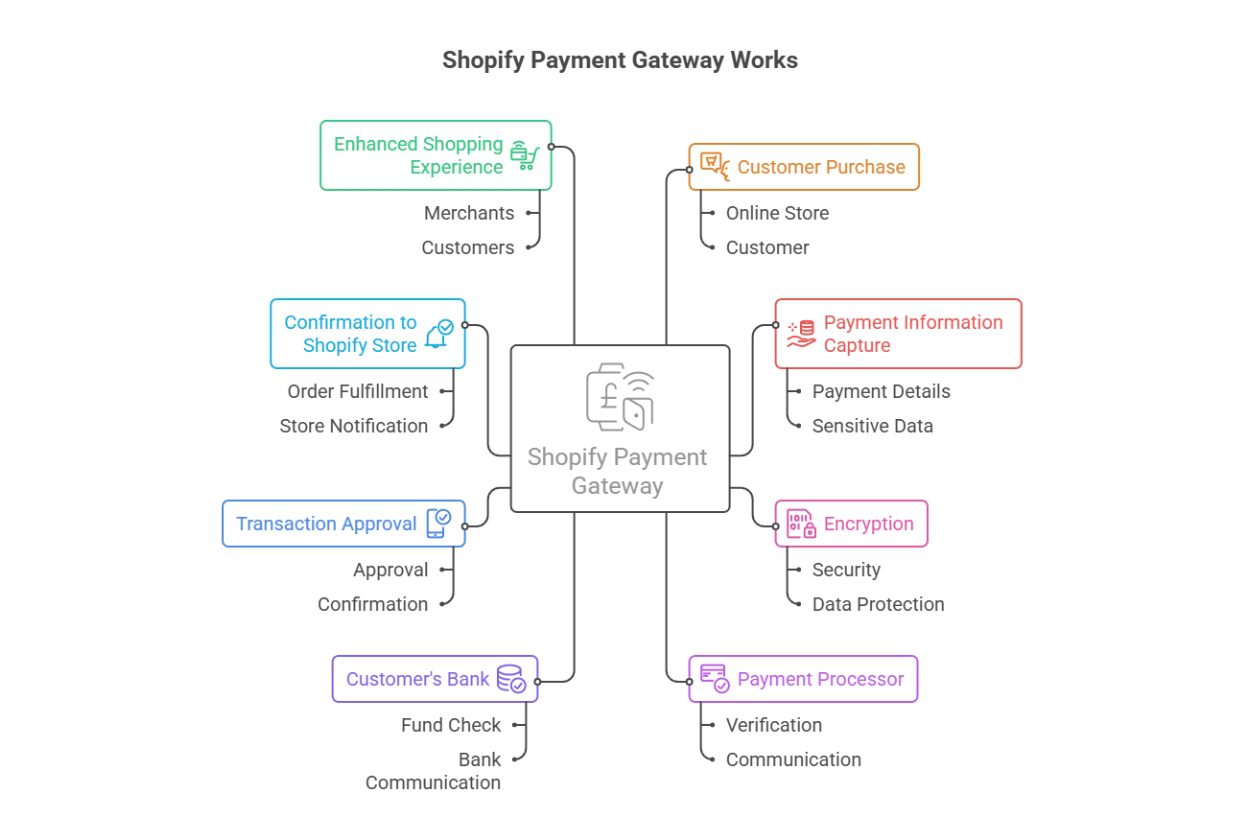
Simple Flow (How payments actually move)
Customer → Checkout → Payment Gateway → Bank Approval → Payment Captured → Store Gets Paid
Shopify setup structure
Shopify supports two different types of credit card payment providers:
| Type | Description | Example |
| Built-in | Native integration, no extra Shopify fees | Shopify Payments |
| Third-party | External providers via integrations | PayPal, Stripe |
You can also connect via:
- Shopify API payment gateway setups (for custom builds)
- Shopify apps payment gateway integrations
- Shopify integrated payment gateways for seamless checkout
Best Shopify Payment Gateways
1. Shopify Payments: The Default Payment Gateway
Shopify Payments
Best for: Most UK businesses starting or scaling up
Key Benefits:
- No additional Shopify transaction fees
- Fully integrated dashboard
- Multi-currency support
- Faster payouts
Quick Take:
If you want the simplest, most cost-effective option, this is often the best payment gateway for Shopify.
2. PayPal: A Trusted Payment Provider for Shopify
PayPal
Best for: International customers & trust
Key Benefits:
- Recognised worldwide
- Faster checkout with saved accounts
- Strong buyer protection
Quick Take:
A must-have for global stores and a solid choice for the best payment gateway for Shopify dropshipping.
3. Stripe: Powerful Payment Solutions for Shopify
Stripe
Best for: Custom and subscription-based stores
Key Benefits:
- Advanced API capabilities
- Flexible billing models
- Strong backend control
Quick Take:
Ideal if you’re using a Shopify API payment gateway or need custom payment logic.
4. Authorize.Net: A Veteran Payment Provider
Authorize.Net
Best for: Established and enterprise businesses
Key Benefits:
- Advanced fraud detection
- Recurring billing support
- Reliable infrastructure
Quick Take:
A stable choice if your store needs security and detailed reporting.
5. Klarna: Flexible Payments That Convert
Klarna
Best for: Increasing conversions and order value
Key Benefits:
- Buy Now, Pay Later options
- Popular in the UK & Europe
- Encourages higher spend
Quick Take:
Great if you want to offer flexible online payments and improve checkout conversion rates.
Comparison Table
| Gateway | Best For | Fees | International Support | Setup Ease |
| Shopify Payments | All-round use | Low | High | Very Easy |
| PayPal | Trust & global sales | Medium | Very High | Easy |
| Stripe | Customisation | Medium | High | Medium |
| Authorize.Net | Enterprise | Higher | Medium | Complex |
| Klarna | Conversion boost | Varies | High | Easy |
How to Choose the Right Gateway for Your Store
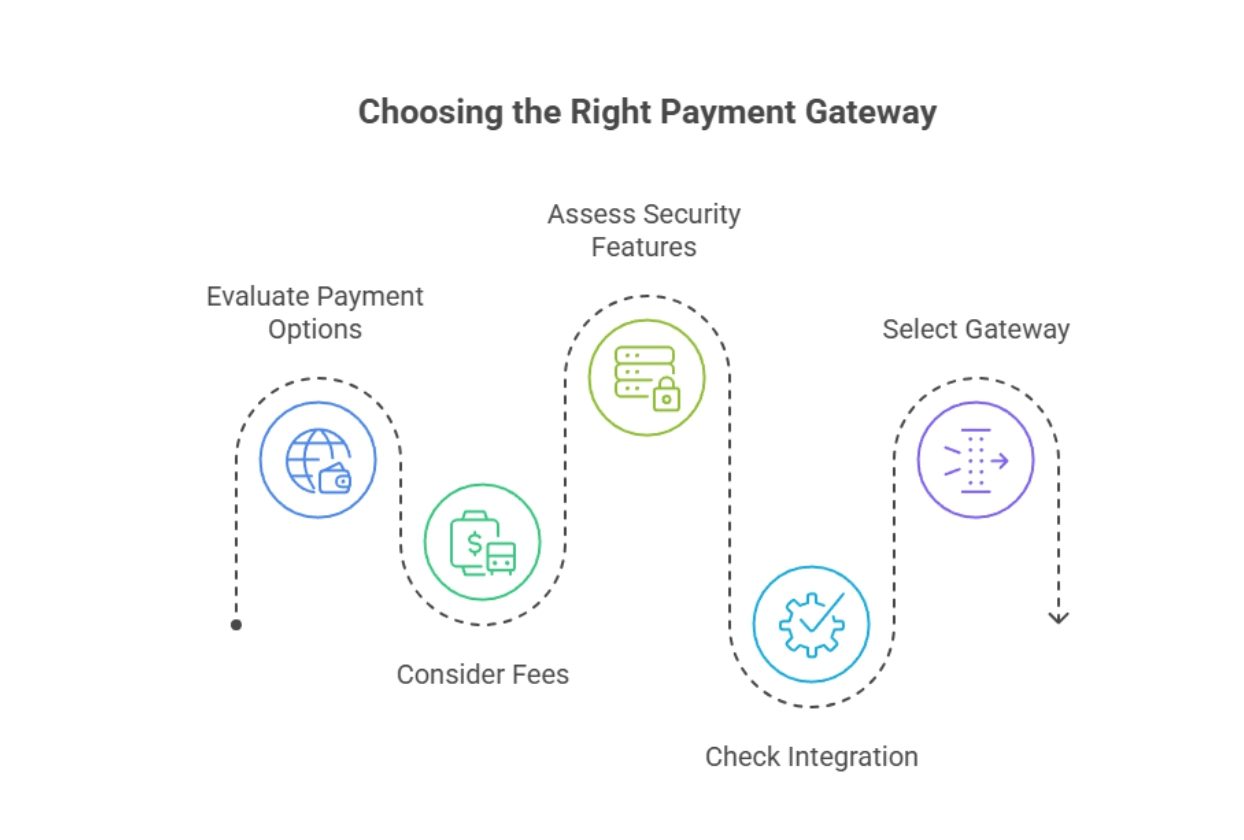 Instead of chasing trends, focus on what your store actually needs:
Quick decision checklist
- Selling internationally? → Use PayPal + Shopify Payments
- Running subscriptions? → Stripe
- High-ticket products? → Klarna
- Simple store? → Shopify Payments only
If you’re unsure, working with experts can save time:
- Hire Shopify Developer: https://kiwicommerce.co.uk/hire-shopify-developer/
- Shopify Development Agency: https://kiwicommerce.co.uk/shopify-development/
Using Multiple Payment Gateways
Most successful stores combine gateways.
Example setup:
Shopify Payments → Card payments
PayPal → Global users
Klarna → Flexible payments
Why this works:
- Covers more customer preferences
- Reduces drop-offs
- Helps you grow globally
How To Set Up Shopify Payments Gateway
If you’re searching for how to set up a payment gateway on Shopify, here’s the real process:
Step-by-step flow
Login → Settings → Payments → Activate Shopify Payments → Add Bank Details → Go Live
Checklist before going live
- Business verification complete
- Correct currency setup
- Test transaction done
- Refund process understood
For advanced setups:
Integrating Payment Gateways: https://kiwicommerce.co.uk/step-by-step-guide-to-integrating-payment-gateways-with-kiwi-commerce/
5 Features to Look for in a Shopify Payment Gateway
1. Accepted payment methods and multi-currency support
Your gateway should support cards, wallets, and local payment options.
2. Transparency of costs and transaction fees
Always review the full breakdown of fees:
- Transaction fees
- Currency conversion
- Withdrawal charges
3. Recurring billing and payout holding time
Important for:
- Subscription businesses
- Membership stores
4. Worldwide availability
If you want to scale, your gateway must support international markets and local currencies.
5. Ease of onboarding and customer support
Avoid gateways that:
- Take weeks to verify
- Offer poor support
- Complicate integrations
Bonus: Special Use Cases
Shopify CBD Payment Gateway
Not all gateways support CBD products. You’ll need:
- Specialised high-risk payment providers
- Compliance checks
- Custom Shopify 3rd-party payment gateway integrations
Conclusion
The best payment gateway for Shopify isn’t always one solution, it’s often a smart combination.
Start simple with Shopify Payments, then layer in options like PayPal or Klarna as you scale.
At the end of the day, your goal is simple:
- Make checkout easy
- Build trust
- Remove friction
If you’re comparing options like Shop Pay and PayPal, this guide will help:
https://kiwicommerce.co.uk/shop-pay-vs-paypal/
A well-set payment system doesn’t just process transactions it quietly drives revenue in the background.

 Alex
Alex