Introduction
If there’s one part of your eCommerce site that deserves the most attention, it’s the checkout. The checkout process is the final and most crucial step in the customer journey. You can invest heavily in marketing, design, and product pages, but if your checkout falls short, conversions will suffer.
That’s where Magento 2 checkout customisation comes in. By refining how your checkout works, looks, and feels, you can remove friction, reduce cart abandonment & measurably boost conversions.
In this guide, we’ll walk through everything you need to know from basics to advanced optimisation strategies.
What is Magento 2 Checkout Customisation?
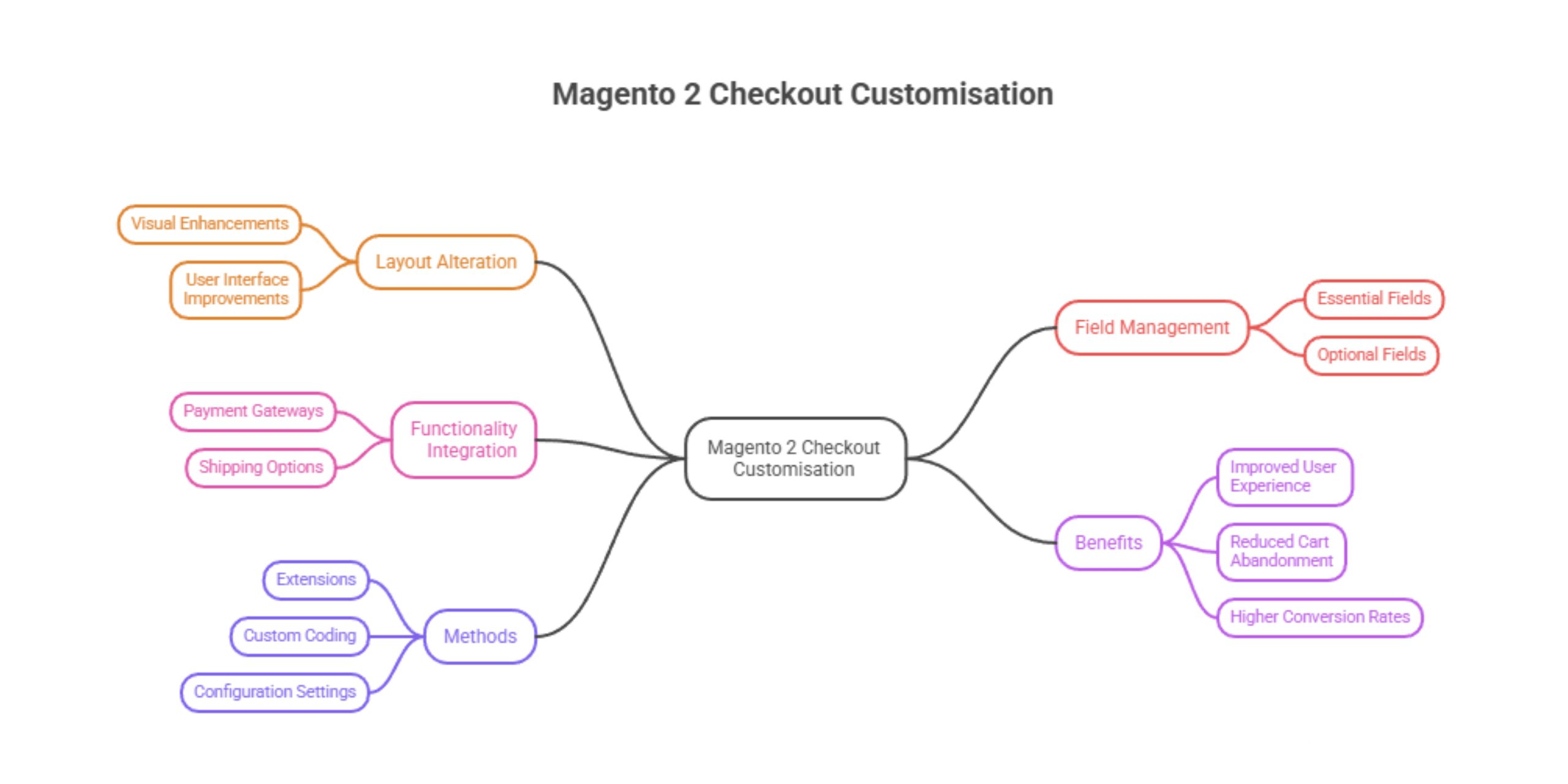 Magento 2 checkout customisation involves modifying the default checkout experience to better suit your business needs and customer expectations.
This can include:
- Adding Magento 2 custom checkout fields
- Improving layout and design
- Simplifying the checkout flow
- Enhancing the Magento 2 checkout success page
- Supporting features like Magento 2 guest checkout or Magento 2 multishipping checkout
In short, it’s about making the checkout process faster, simpler, and more intuitive.
Why a Customised Checkout Page Matters
A standard checkout works, but it’s rarely optimised.
Customers today expect:
- Speed
- Simplicity
- Trust signals
- Minimal effort
A customised checkout allows companies to combine all shipping, billing, and payment information into a single section, creating a smoother journey. In many cases, it is better than a multi-step checkout.
Key Benefits of Checkout Customisation
| Benefit | Impact on Business |
| Reduced cart abandonment | Keeps users from dropping off at the final step |
| Faster checkout | Improves user satisfaction |
| Better data collection | Helps marketing and operations |
| Increased conversions | Direct revenue growth |
| Improved UX | Builds trust and repeat purchases |
Common Magento 2 Checkout Customisation Goals
1. Increase Trust and Reduce Cart Abandonment
Adding trust badges, clear error messages, and transparent pricing helps users feel confident when completing their purchase.
2. Gather Business and Marketing Intelligence
Using Magento 2 checkout custom field options, you can collect valuable data such as:
- Delivery preferences
- Business type (for B2B)
- Marketing opt-ins
3. Streamline the Process for Specific Product Types
Not all products need the same checkout flow. For example:
- Digital goods → minimal fields
- Subscription products → recurring billing setup
4. Implement Upselling and Cross-Selling
Checkout is a great place to suggest:
- Add-ons
- Related products
- Extended warranties
5. B2B Efficiency and Workflow Optimisation
For B2B users, features like:
- Purchase orders
- Bulk ordering
- Magento 2 multishipping checkout
Magento 2 Checkout Customisation Step-by-Step Process
Here’s a simplified version of how developers typically approach it:
1. Backup Magento Store
Always start with a full backup before making changes.
2. Create a Custom Checkout Step Component
Define a new step using Magento’s UI components.
3. Modify Layout Files
Update layout XML files to adjust structure and positioning.
4. Add JavaScript File
Use JS to control behaviour, validation, and dynamic updates.
5. Create and Add an HTML Template
Design how your custom step or fields will appear.
6. Add the Step to the Checkout Page Layout
Integrate your new step into the checkout flow.
7. Remove a Component
Strip out unnecessary elements to simplify the process.
8. Update Styles
Ensure the checkout matches your brand design.
9. Deployment
Push changes to staging or production.
10. Clear Cache
Magento caching can hide updates; clear it to reflect changes.
11. Test Your Customisations
Test across:
- Devices
- Browsers
- Payment methods
Advanced Checkout Optimisation Strategies
1. Implementing a One-Page Checkout
A Magento 2 one-page (one-step) checkout allows users to complete everything in one view.
This approach:
- Reduces clicks
- Speeds up checkout
- Improves conversions
Many businesses use a Magento 2 one-page checkout extension to achieve this quickly.
2. Leveraging Address Autocomplete
Integrating address lookup tools:
- Reduces typing effort
- Minimises errors
- Speeds up form completion
3. Progressive Field Disclosure
Instead of showing everything at once:
- Reveal fields only when needed
- Keep the interface clean and less overwhelming
Common Mistakes to Avoid
- Overcomplicating the checkout with too many fields
- Ignoring mobile optimisation
- Breaking the default Magento functionality
- Skipping proper testing
- Not supporting Magento 2 guest checkout
Performance & Speed Considerations
Checkout speed directly impacts conversions.
To optimise performance:
- Minimise JavaScript load
- Use lightweight extensions
- Optimise server response time
- Avoid unnecessary API calls
A slow checkout can undo all your optimisation efforts.
One-Step Checkout vs. Multi-Step Checkout: Which Is Better for Conversions?
| Feature | One-Step Checkout | Multi-Step Checkout |
| Speed | Faster | Slower |
| User effort | Lower | Higher |
| Clarity | High (if well-designed) | Structured |
| Conversions | Generally higher | Lower in most cases |
For most stores, Magento 2 one-step checkout is the better choice, especially when designed properly.
How Can I Customise the Magento 2 Checkout Page Without Breaking the Site?
The safest approach is:
- Use child themes instead of modifying core files
- Work with experienced developers
- Test changes in staging first
- Use version control
- Follow Magento best practices
If you’re unsure, working with a professional team offering Magento development service can help avoid costly mistakes.
How Magento Checkout Extensions Can Improve Your Sales?
Extensions can fast-track your improvements without heavy development.
Popular use cases:
- Magento 2 one-page checkout extension
- Payment gateway integrations
- Custom field management
- Check out design enhancements
For tailored solutions, a Magento Web Development Agency can build exactly what your business needs.
You can also Hire Dedicated Magento Developers if you require ongoing optimisation and support.
Conclusion
Optimising your Magento 2 checkout isn’t just a technical upgrade; it’s a direct route to higher conversions and better customer experience.
Whether you’re adding Magento 2 custom checkout fields, implementing a Magento 2 one-page checkout tutorial, or refining your Magento 2 checkout success page, every improvement contributes to a smoother journey.
Get the checkout right, and everything else starts working harder for your business.

 Krish
Krish