Introduction
Running an online store involves far more than simply selling products. Behind every successful ecommerce website, multiple systems are working together: inventory, order management, customer records, accounting, shipping, and more.
This is where Magento 2 ERP integration becomes extremely useful. By connecting your Magento store with an ERP system, businesses can automate processes, reduce manual work, and ensure that important data stays accurate across all systems.
In this guide, we’ll explain what Magento ERP integration is, how it works, the benefits it offers, and the common ERP platforms businesses integrate with Magento.
What is Magento ERP Integration?
Magento ERP integration is the process of connecting your Magento store with an Enterprise Resource Planning (ERP) system so that both platforms can exchange data automatically.
An ERP system for Magento helps manage critical business functions such as:
- Inventory
- Order processing
- Accounting
- Customer records
- Supply chain
- Product information
When integrated correctly, Magento and the ERP system communicate in real time, synchronising and connecting all data between your ERP system and your ecommerce store.
For example:
| Magento Store Data | ERP System Data |
| Orders placed by customers | Order processing & invoicing |
| Customer information | Customer database |
| Product catalogue | Product data management |
| Stock levels | Warehouse inventory |
| Shipping updates | Logistics tracking |
This connection automates inventory, orders, and customer data, improving efficiency, accuracy, and overall store performance.
Why Businesses Integrate Magento with ERP Systems
Many ecommerce businesses start by managing operations manually. But as orders increase, it becomes difficult to keep everything organised.
Integrating Magento with ERP solves this problem by creating automated workflows.
Key Benefits
- Inventory Synchronisation
Stock levels update automatically between Magento and your ERP. - Order Management Automation
Orders placed in Magento are automatically transferred to the ERP for fulfilment. - Customer Data Integration
Customer information stays updated across systems. - Product Data Synchronisation
Product details like pricing, SKUs, and descriptions remain consistent. - Real-time Data Sync
Avoid delays or mismatched information. - Reduced Manual Work
Staff don’t need to manually transfer data between systems. - Improved Accuracy
Reduces human errors in inventory and orders.
How Magento 2 ERP Integration Works
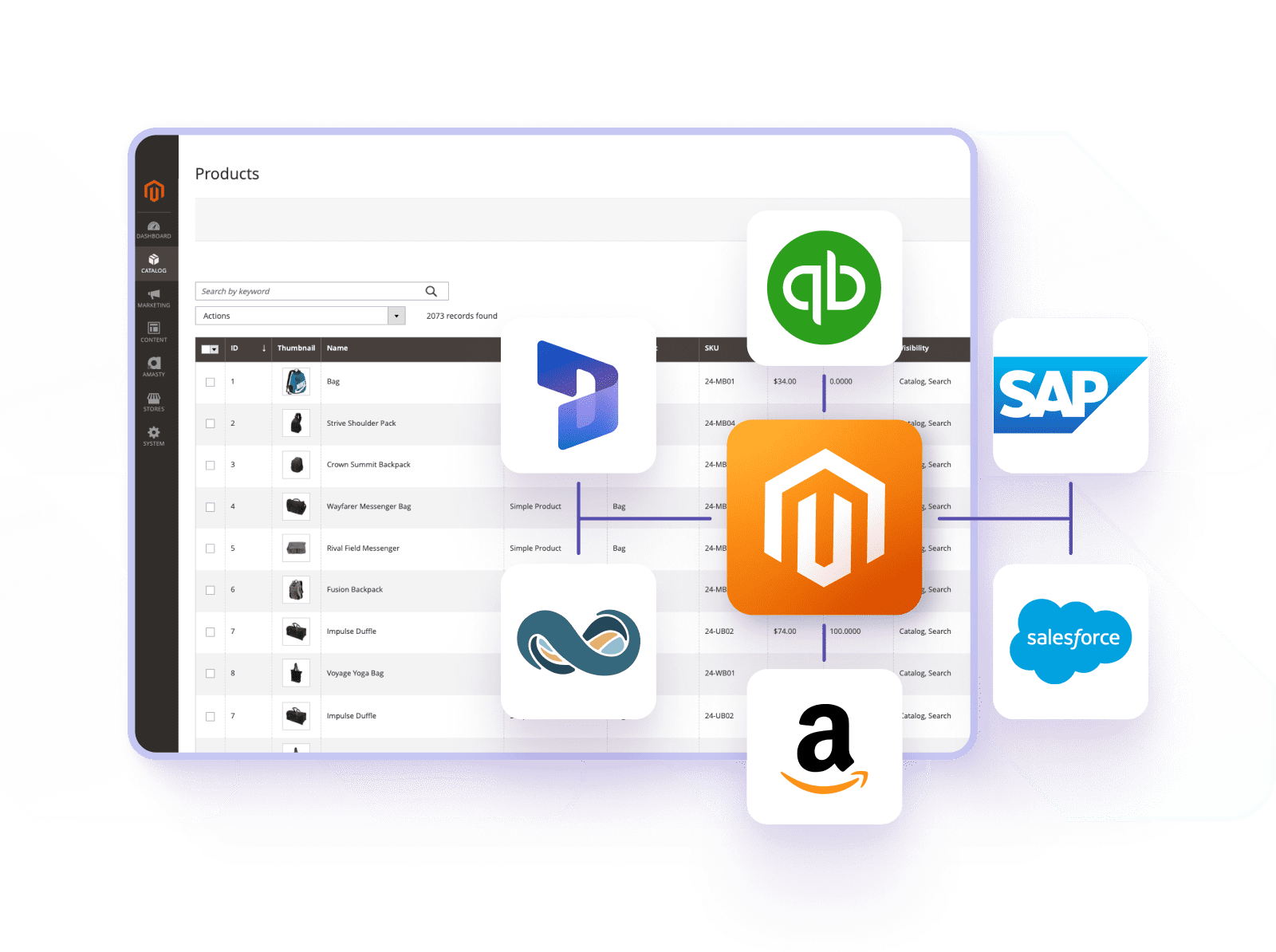
A Magento ecommerce ERP integration usually works through APIs or middleware that allow both systems to communicate.
Typical Integration Workflow
- The customer places an order on Magento
- Order details are automatically sent to the ERP
- ERP processes the order and manages inventory
- Stock levels are updated in the ERP
- Updated inventory syncs back to Magento
- Shipping and tracking updates are sent back to the store
- Customer receives order updates
This process ensures real-time data sync between both systems.
Businesses often implement integration using:
- Magento APIs
- Middleware platforms
- Custom integrations
- Magento ERP integration extensions
If you are planning integration, working with a professional Magento development agency UK can ensure the system is set up properly.
Popular ERP Systems Integrated with Magento
Many ERP platforms support Magento integration. The choice usually depends on business size, industry, and operational needs.
| ERP Platform | Use Case |
| Magento NetSuite ERP Integration | Popular with growing ecommerce businesses |
| Magento SAP ERP Integration | Enterprise-level companies |
| Magento HubSpot ERP Integration | CRM + ERP combined workflow |
| Magento 2 Abas ERP Integration | Manufacturing businesses |
| Magento 2 Epicor ERP Integration | Retail and distribution sectors |
Examples
- Magento NetSuite ERP integration enables financial data, orders, and inventory to sync automatically.
- Magento SAP ERP integration helps large organisations manage complex operations.
- Magento HubSpot ERP integration connects customer data, CRM insights, and ecommerce activity.
- Magento 2 Abas ERP integration is commonly used in manufacturing environments.
- Magento 2 Epicor ERP integration helps streamline supply chains and warehouse operations.
Magento ERP Integration Extensions vs Custom Integration
Businesses usually implement ERP integration in two ways.
1. Magento ERP Integration Extension
These are ready-made tools designed to connect Magento with specific ERP platforms.
Advantages
- Faster setup
- Lower initial cost
- Pre-built connectors
Limitations
- Limited customisation
- May not support complex workflows
2. Custom Magento ERP Integration Solutions
Custom integrations are built specifically for your business needs.
Advantages
- Fully customised workflows
- Flexible & efficient integration
- Supports complex data structures
Limitations
- Higher initial cost
- Longer development time
A skilled team offering Magento API Integration Services can build tailored solutions for your store.
Key Features of Magento ERP Integration
A well-built Magento ERP integration solution usually includes the following capabilities.
Inventory Synchronisation
- Real-time stock updates
- Multi-warehouse management
- Prevents overselling
Order Management
- Automated order processing
- Invoice generation
- Shipment tracking
Customer Data Integration
- Shared customer records
- Purchase history
- CRM updates
Product Data Synchronisation
- Product catalogue updates
- SKU management
- Pricing and attributes sync
Together, these features create automated workflows that make ecommerce operations smoother.
Magento ERP Order and Customer Integration
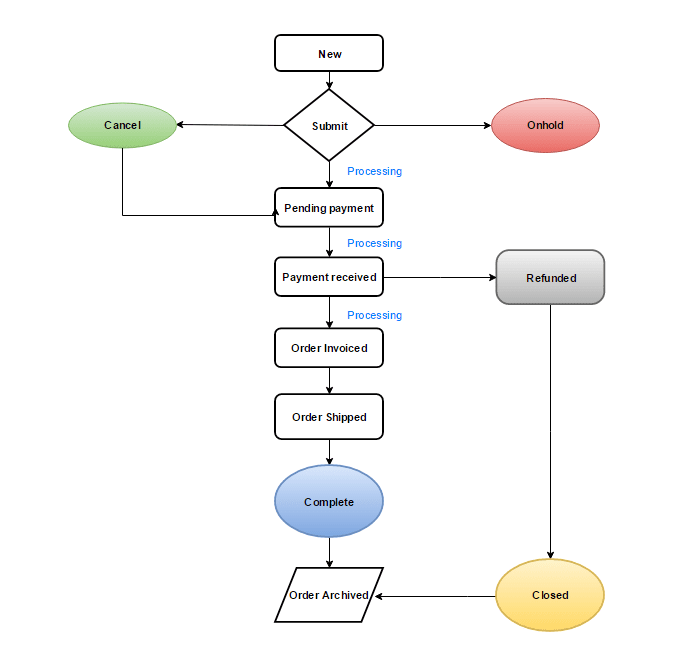
One of the most valuable parts of integration is Magento ERP order and customer integration.
Order Integration
When a customer places an order:
- Order information moves directly into the ERP
- ERP manages invoicing and fulfilment
- Shipping updates sync back to Magento
Customer Integration
Customer records can also sync automatically:
- Customer profiles
- Contact information
- Purchase history
- Account data
This ensures every department – sales, support, logistics – has access to the same customer data.
Challenges Businesses May Face
While Magento ERP integration offers many benefits, businesses should also be aware of potential challenges.
Common issues include:
- Data mapping complexities
- Different data formats between systems
- API limitations
- Synchronisation delays
- Legacy ERP systems
These challenges are why many companies choose to Hire Magento Developer specialists to manage the integration process.
Best Practices for Successful Magento ERP Integratio
If you’re planning an integration, following best practices can help ensure success.
Start with a clear data strategy
- Identify which data needs syncing
- Define update frequency
Use reliable APIs
- Ensure secure communication between systems
Test the integration thoroughly
- Run test orders
- Validate inventory updates
Monitor data sync
- Check logs regularly
- Fix sync errors quickly
Ongoing support through Magento maintenance services can help maintain smooth performance after the integration is live.
Final Thoughts
Magento ERP integration is an important step for businesses looking to scale their ecommerce operations. By synchronising and connecting all data between your ERP system and Magento, companies can automate processes, reduce manual work, and gain better control over operations.
From inventory synchronisation and order management to customer data integration and product data synchronisation, ERP integration ensures your store runs more efficiently.
Whether you’re planning Magento NetSuite ERP integration, Magento SAP ERP integration, or Magento 2 Epicor ERP integration, the right setup can significantly improve operational efficiency and business growth.
For growing ecommerce businesses, investing in Magento ERP integration solutions is not just a technical upgrade; it’s a step toward smarter, more scalable operations.


 James
James